
How to download.
Two ways in. From your delivery email, or from your agent account. Both land on the same download page.
From your delivery email
Fastest if your media just dropped. The email has the link — one click and you're in.
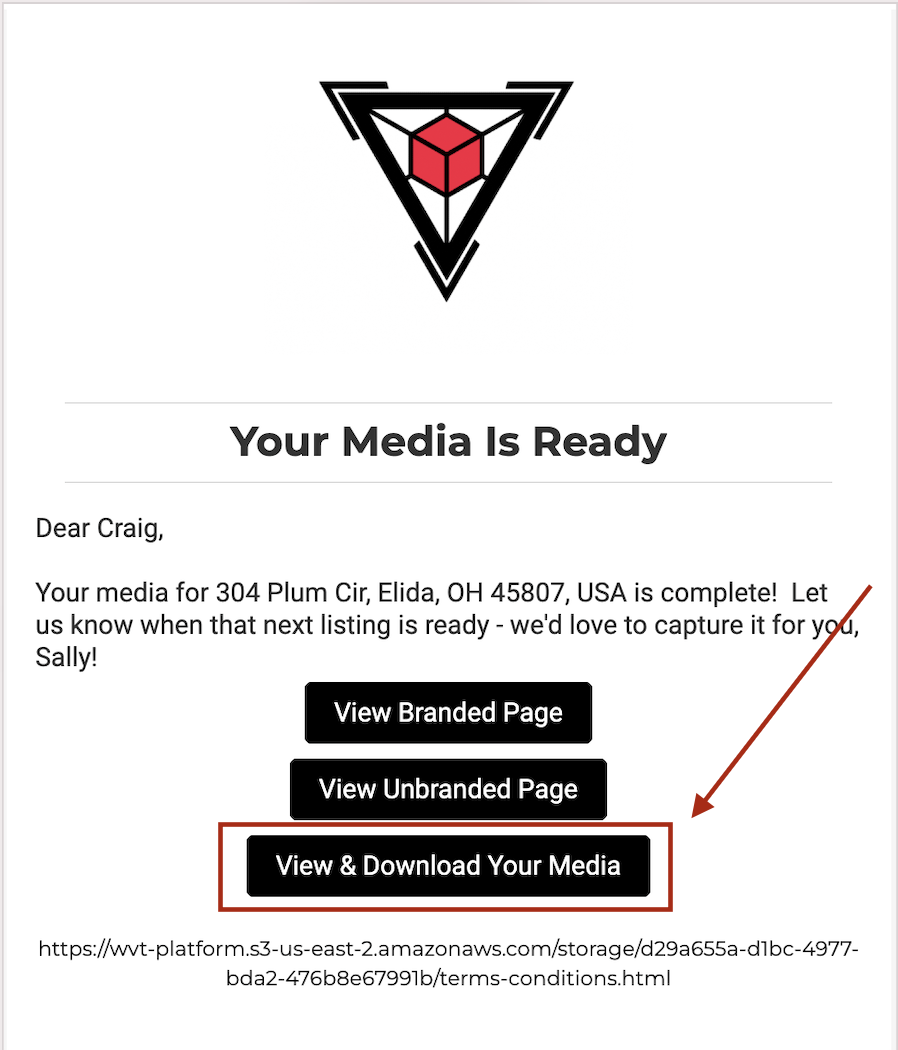
Open the "Your Media Is Ready" email from us.
Click the View & Download Your Media button at the bottom.
You'll land on the download page — the property address up top, two property website links (Branded + Unbranded), and your media gallery below.
(If you haven't paid yet, the link redirects you to pay first — once payment clears, you bounce back here automatically.)
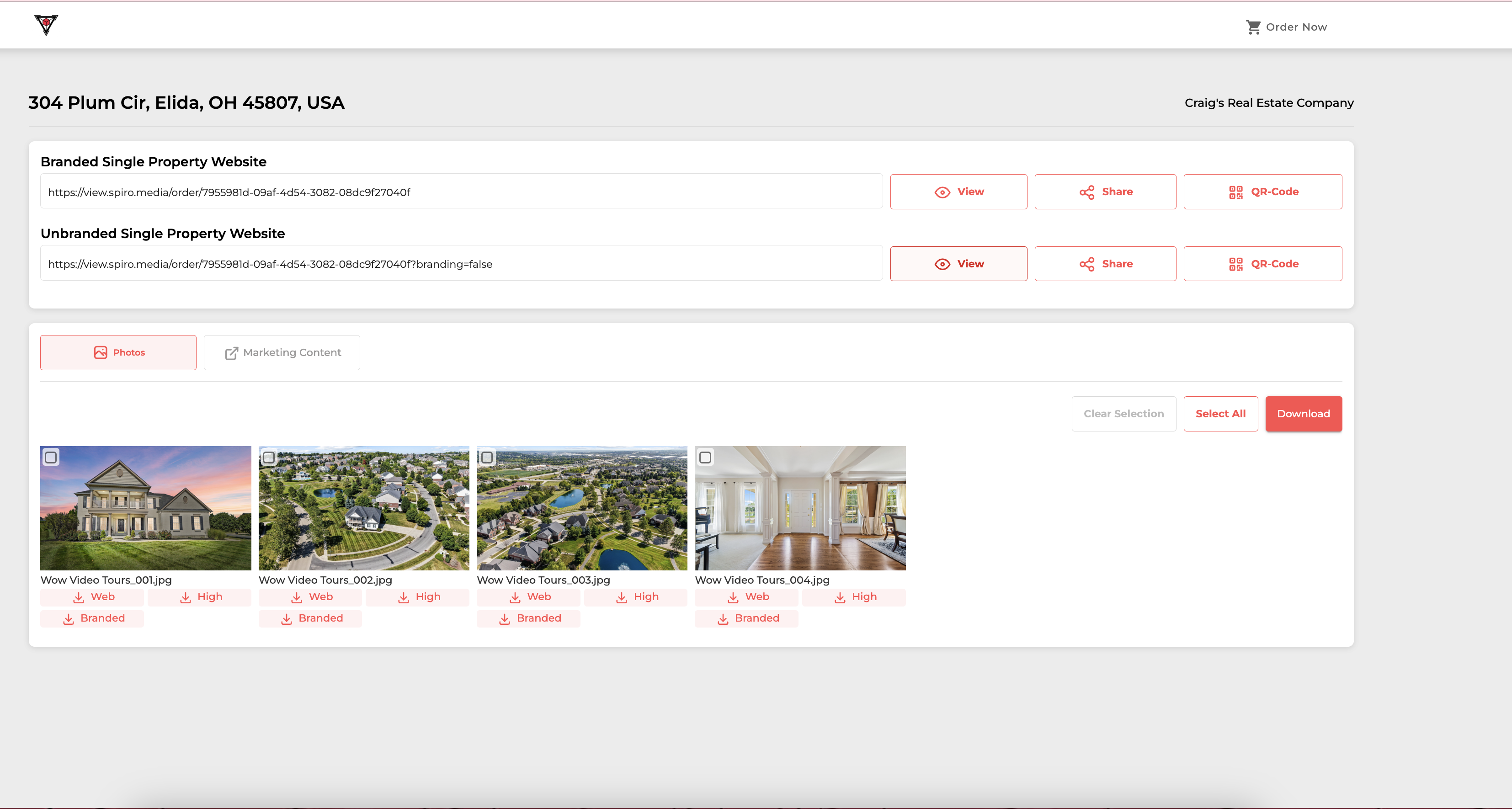
Download photos one at a time, or in bulk via Select All → Download.
If you ordered video, floor plans, 3D tours — they show up as separate tabs (Photos / Marketing Content / etc.). All downloadable from the same page.
From your agent account
Best if you've already paid and want to grab files later, or if you've lost the delivery email.
Sign into Spiro — web (portal.spiro.media) or the iOS app.
Click Listings in the top nav.
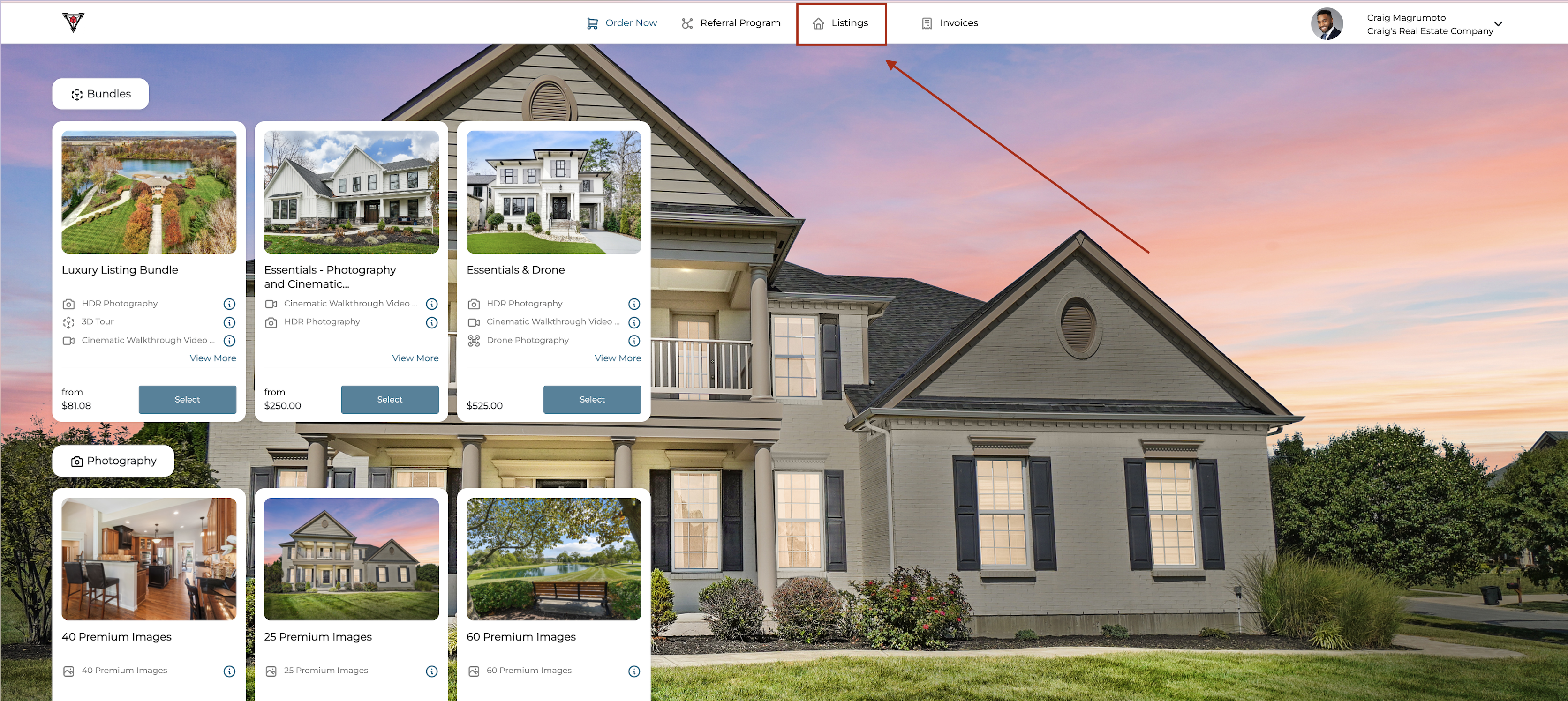
Find the listing you want — cards show status: Confirmed Appointment, Delivered, or Pending Scheduling.
Click the small download icon on the listing card.
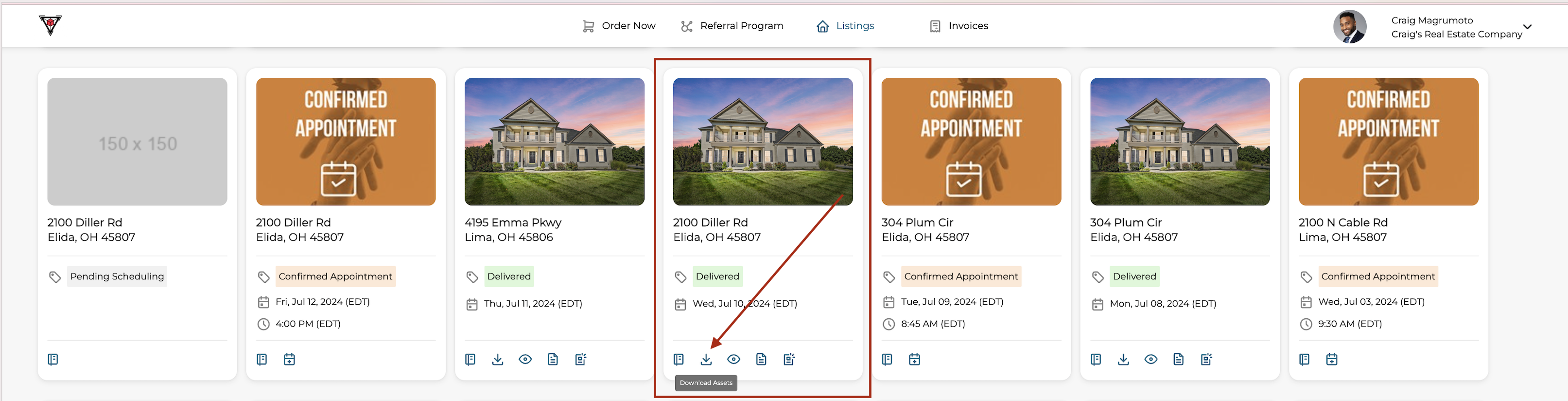
Same download page as Path 1 — gallery, property websites, all your media. Select all + download, or grab individually.
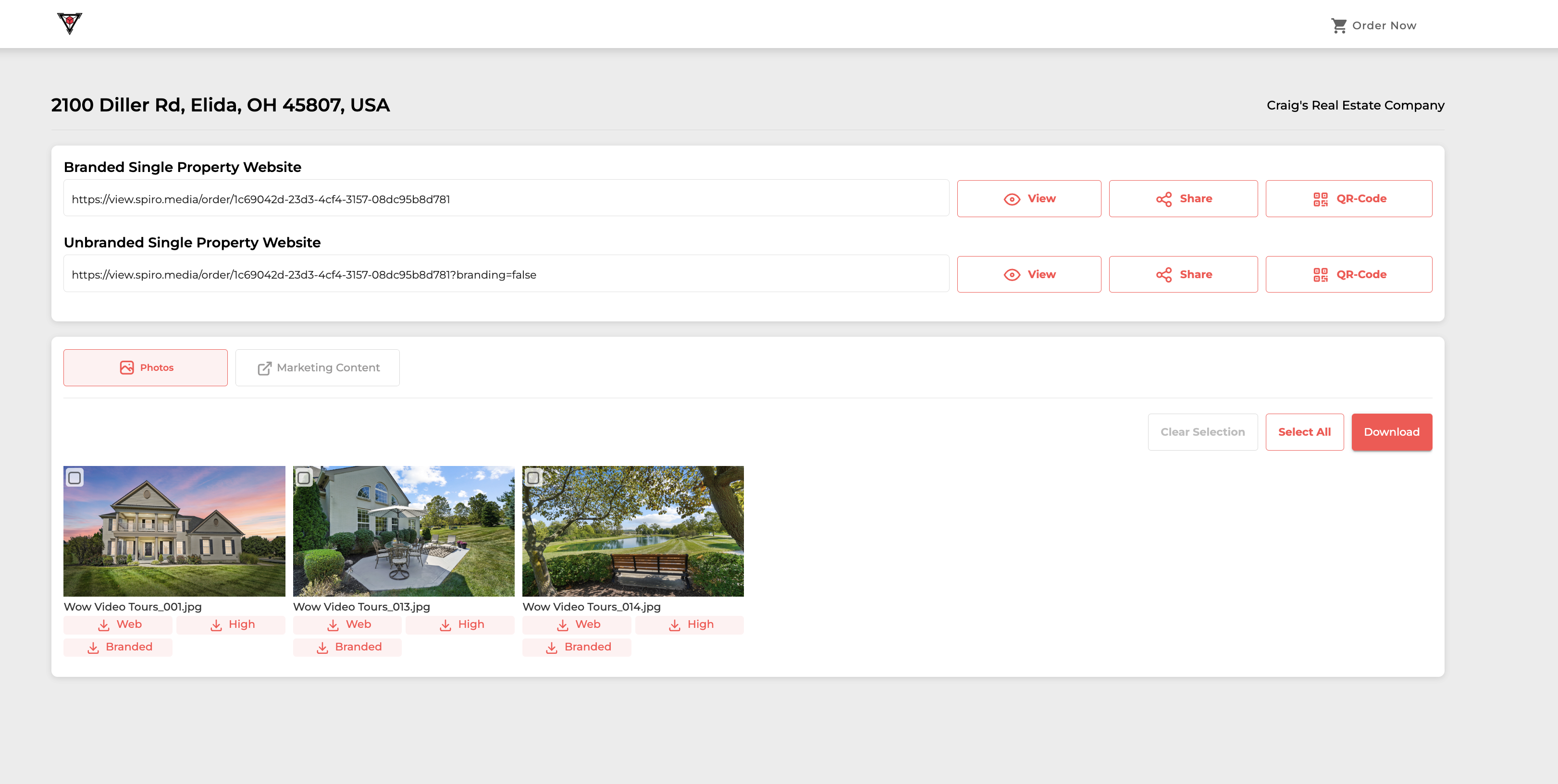
Each photo has three download options: Web, High, and Branded. For MLS, click Web — compressed to MLS upload limits. If you grab High and try to upload to MLS, the system will reject the files for being too large.
Social, print, your portfolio, brokerage marketing, anywhere off-MLS — click High. These are the originals at full resolution.
Other downloads
Video on iPhone: there's a specific Spiro process for downloading video to iOS — see Spiro's guide.
Vimeo-hosted videos: if your video is hosted on Vimeo, the download flow's slightly different — Spiro covers it here.
Lost the link? Galleries stay live for 90 days minimum. Sign into Spiro, hit Listings, find the property — everything's there.
Don't see what you're looking for?
Reply to any email from us, text the line, or shoot a quick message. We answer everything fast — usually inside an hour during the day.